
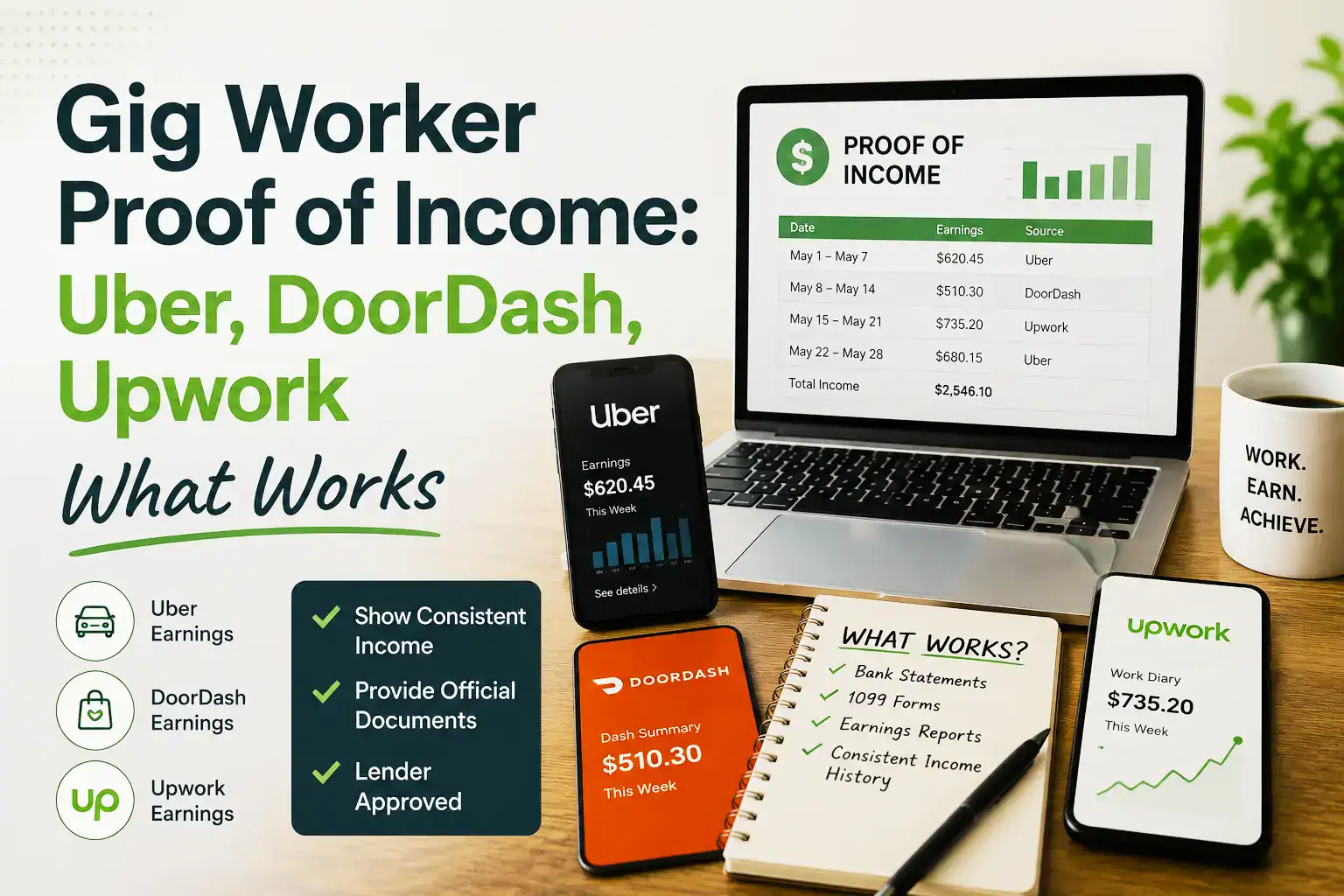
Driving for Uber, delivering for DoorDash, or freelancing on Upwork, and don’t know how to answer “can you send proof of income”? Here’s the short version: gig worker proof of income usually comes from the platform’s own earnings statements or 1099 forms, paired with 3-6 months of bank statements. Below, we’ll walk through exactly where to find these documents on Uber, DoorDash, and Upwork, plus what to add alongside them so a landlord or lender says yes without a second look.
Why Gig Income Confuses Almost Every Rental Application
Gig work has quietly become one of the most common ways people earn money, but rental applications still haven’t caught up. There’s no HR department at Uber that mails you a pay stub. DoorDash doesn’t issue a W-2. Upwork clients pay you directly through the platform, not through payroll. If you’ve ever stared at a landlord’s application form wondering which box to check, you’re not doing anything wrong, the form just wasn’t built with gig workers in mind.
The good news is that every major gig platform actually keeps detailed records of what you’ve earned, and those records are exactly what counts as gig worker proof of income. The challenge is usually just knowing where to find them and how to present them well. That’s what this guide covers, platform by platform.
If you’re new to proving self-employed or freelance income more broadly, our guides on self-employed proof of income documents and proving income as a freelancer for an apartment cover the wider picture, this one focuses specifically on gig and platform-based work.
Uber Proof of Income: Where to Find It
Uber drivers have more documentation available than most people realize. The two most useful sources are:
The Uber driver app’s earnings dashboard. Under the earnings section, you can pull weekly and monthly summaries showing gross fares, tips, and total trips. Many landlords accept a few months of these summaries printed or exported as PDFs.
Uber’s annual tax summary and 1099 forms. Each year, Uber provides a tax summary (and a 1099-K or 1099-NEC if you meet the reporting threshold) that shows your total annual earnings. This is typically the strongest single document for Uber proof of income, since it’s an official platform-generated record covering a full year.
For a stronger application, pair either of these with 3-6 months of bank statements showing your weekly Uber deposits, which lets a landlord see the earnings dashboard numbers actually landing in your account.
DoorDash Income Verification: Where to Find It
DoorDash offers similar tools for Dashers, though the naming is slightly different.
The Dasher app’s earnings tab. This shows daily, weekly, and monthly totals, including base pay, tips, and any promotions. Exporting a few months of this data gives a landlord a clear earnings pattern.
DoorDash’s annual 1099-NEC. If you earned above the reporting threshold, DoorDash issues a 1099-NEC each year, which serves as the most credible single document for DoorDash income verification, since it’s reported to the IRS.
Third-party verification through Truework or similar services. DoorDash has increasingly partnered with employment verification services that can confirm your Dasher status and estimated earnings directly to a landlord or lender, which can speed up the process considerably.
As with Uber, combining your DoorDash earnings summary with matching bank deposits strengthens the application significantly, since it shows the numbers are real and consistently landing in your account.
Upwork Freelancer Income Proof: Where to Find It
Upwork works a little differently since it’s a freelance marketplace rather than a delivery or rideshare platform, but it still keeps solid records for Upwork freelancer income proof.
Upwork’s earnings reports. Under your account’s reports section, you can generate detailed statements of every contract, payment, and client over any date range, making it easy to show consistent income over 6-12 months.
1099-K or 1099-NEC forms. Depending on your earnings and payment method, Upwork may issue a 1099-K (payment platform reporting) or you may need combined 1099-NEC forms from individual clients paying outside the platform. Either way, these documents give your income an IRS-reported paper trail.
Client contracts and long-term engagements. If you have ongoing retainer clients on Upwork, exporting those contract details alongside your earnings report shows a landlord not just past income, but likely future income too.
What to Pair With Your Platform Earnings Statements
No matter which platform you work through, a few additional documents make your gig worker proof of income noticeably stronger:
- Bank statements (3-6 months). These confirm that the numbers on your platform earnings statement are actually landing in your account as real, spendable income.
- Federal tax return with Schedule C. If you’ve been gig working for at least a full tax year, your Schedule C shows total reported income after expenses, giving a longer-term view than any single platform’s report.
- A simple income summary letter. A short letter stating which platforms you work on, how long you’ve been doing gig work, and your average monthly income ties everything together in one readable page.
- A profit and loss statement, especially useful if you work across multiple platforms (for example, driving for Uber while also freelancing on Upwork) and want to show combined income in one document.
Step-by-Step: Building Your Gig Worker Income Packet
- Log into each platform you work on and pull your most recent 3-6 months of earnings statements, whether that’s Uber’s app, the Dasher app, or Upwork’s reports section.
- Download your annual tax documents: 1099-K, 1099-NEC, or Uber’s/DoorDash’s tax summary, for the most recent tax year.
- Pull matching bank statements covering the same period as your platform earnings, ideally from an account where those deposits land directly.
- Combine income across platforms if you work on more than one. A simple spreadsheet or profit and loss summary showing Uber plus Upwork plus DoorDash income, for example, gives a landlord the full picture instead of three disconnected documents.
- Write a short cover letter summarizing which platforms you work on, how long you’ve been active, and your average monthly earnings.
- Organize everything into one PDF packet, in a clear order, rather than sending scattered screenshots from different apps.
Common Mistakes Gig Workers Make With Proof of Income
Submitting only a screenshot of the app’s dashboard. A quick phone screenshot looks informal and can be hard to verify. Exporting a proper PDF statement, when the platform allows it, looks far more credible.
Forgetting that gross pay isn’t take-home pay. Platforms like Uber and DoorDash often show gross earnings before accounting for mileage, gas, or platform fees. It’s worth briefly explaining this gap if your net income (what you’d report on Schedule C) looks noticeably lower than gross earnings.
Only showing one platform when you work on several. If your real income comes from a mix of Uber, DoorDash, and Upwork, showing just one makes your income look lower than it actually is. Combine them for an accurate picture.
Skipping the tax documents entirely. App-generated earnings summaries are useful, but a 1099 or annual tax summary carries more weight because it’s reported to the IRS, not just generated by the platform’s own dashboard.
Want an accurate, ready-to-send proof of income document? Our proof of income helps gig workers, freelancers, and independent contractors put together a legitimate, bank-accepted income letter and pay stub, built around your real platform earnings, fully compliant with 2026 standards.
Comparison Table: Gig Worker Proof of Income by Platform
| Platform | Best Document | Where to Find It | Backup Document |
| Uber | Annual tax summary / 1099 | Driver app → Tax Info | Weekly earnings statements |
| DoorDash | 1099-NEC | Dasher app → Earnings/Tax section | Weekly/monthly earnings summary |
| Upwork | Earnings report + 1099-K/NEC | Upwork → Reports | Client contracts |
| Multiple platforms | Combined P&L statement | Self-prepared spreadsheet | Bank statements across all platforms |
Frequently Asked Questions
What counts as proof of income for gig workers?
Gig worker proof of income typically includes the platform’s own earnings statements (Uber, DoorDash, Upwork, etc.), annual 1099 forms or tax summaries, bank statements showing matching deposits, and sometimes a federal tax return with Schedule C. Landlords usually want two or three of these combined.
How do I show proof of income from Uber?
Uber drivers can pull weekly or monthly earnings summaries from the driver app, and download their annual tax summary or 1099 form from Uber’s tax information section. Pairing this with bank statements showing matching deposits gives the strongest Uber proof of income.
Does DoorDash provide income verification for Dashers?
Yes. DoorDash issues an annual 1099-NEC for Dashers who meet the reporting threshold, and the Dasher app provides detailed earnings summaries by week or month. DoorDash has also partnered with third-party verification services that can confirm Dasher status directly to landlords or lenders.
How do I prove income from Upwork as a freelancer?
Upwork freelancers can generate detailed earnings reports directly from their account, covering any date range and breaking down income by client and contract. Combined with a 1099-K or 1099-NEC and matching bank statements, this provides solid Upwork freelancer income proof for a rental or loan application.
What if I work for multiple gig platforms at once?
If you earn income across several platforms, such as Uber and Upwork together, combine the earnings statements from each into one summary or profit and loss statement rather than submitting them separately. This gives a landlord an accurate total instead of understating your real income.
Do landlords accept gig work as valid income?
Yes. Gig and platform-based income is now widely accepted by landlords, as long as it’s backed by proper documentation, platform earnings statements, 1099 forms, and bank statements. The key is presenting consistent, verifiable records rather than relying on a single screenshot or estimate.
Conclusion
Proving gig worker proof of income doesn’t require a traditional employer or a W-2, it requires knowing where each platform keeps its records and presenting them clearly. Uber and DoorDash both offer annual tax summaries and 1099 forms alongside detailed earnings dashboards, while Upwork provides exportable earnings reports and client-based 1099s. Combined with a few months of bank statements, these documents give landlords everything they need to approve a gig worker’s application with confidence.
If you’d rather have an accurate, ready-to-send income document built around your real earnings, our proof of income can put one together for you in minutes.





Add comment