
If a K-1 landed in your mailbox this tax season and you stared at it wondering what on earth you’re supposed to do with it, you’re not alone. Every year, thousands of partners, S-corp shareholders, and trust beneficiaries open this form and feel the same mix of confusion and mild panic. It doesn’t look like a W-2. It doesn’t look like a 1099. And yet somehow, it still has to end up on your tax return.
So let’s clear it up properly. This guide walks through what a K1 tax form actually is, who sends it to you, what’s printed on it, and how to use it without losing an afternoon to IRS instructions. By the end, you’ll understand this form better than most people who’ve been filing taxes for years.
What Is a K1 Tax Form, Exactly?
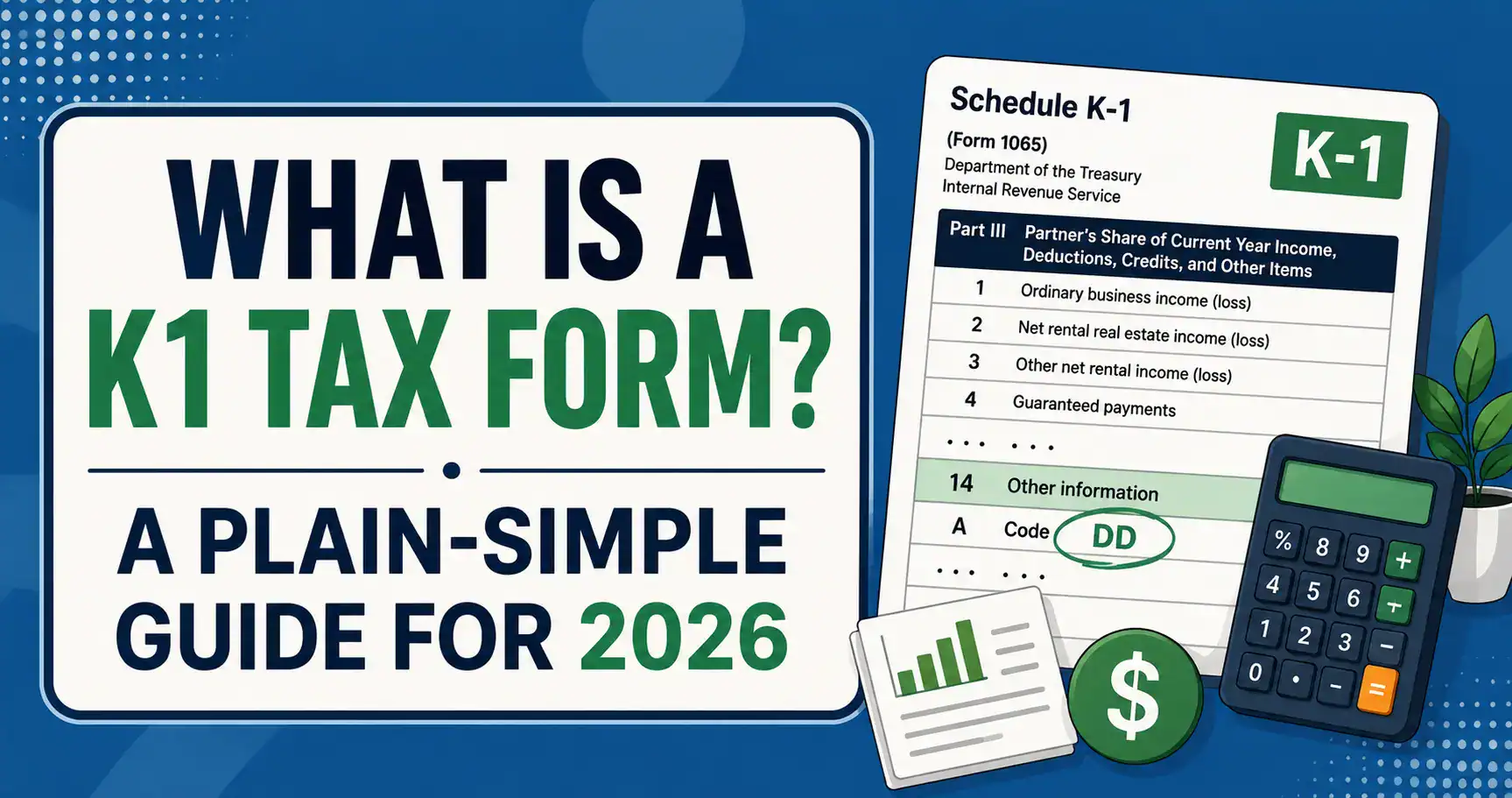
A K1 tax form, officially called Schedule K-1, is a document that reports your individual share of income, losses, deductions, and credits from a business or trust you have a stake in. It’s not a form you fill out yourself, it’s prepared by the entity (a partnership, an S corporation, a trust, or an estate) and sent to you so you can report your share on your own personal return.
Here’s the concept behind it: certain businesses don’t pay income tax themselves. Instead, they pass their profits and losses straight through to the people who own them, and those individuals pay the tax on their personal return. This is why partnerships, S corporations, trusts, and estates are often called “pass-through entities.” The Schedule K-1 is simply the paperwork that carries that information from the business to you.
Think of it this way: if you’re a shareholder in a company that pays regular corporate tax, you might just get a 1099-DIV for dividends. But if you’re a partner or shareholder in a pass-through entity, the K-1 shows you exactly what portion of the business’s income (or loss) belongs to you for that tax year, even if you never touched a dollar of it in cash.
What Is a K1 Tax Form Used For?
This is where a lot of people get stuck, so let’s break it down simply. The K-1 is used to:
- Report your share of a partnership, S-corp, trust, or estate’s income, gains, losses, deductions, and credits
- Feed information directly into your personal Form 1040
- Determine your basis (essentially your investment stake) in the entity, which matters if you ever sell your interest
- Help calculate whether you owe self-employment tax on certain types of pass-through income
- Give the IRS a way to cross-check that the income reported by the business matches what individuals report on their own returns
Without the K-1, there’d be no reliable way to connect a partnership’s total earnings to what each individual partner should be taxed on. It’s the bridge between the business return and your personal one.
The Three Types of Schedule K1 Tax Forms
Not every K-1 looks the same, because it depends on what kind of entity is issuing it. There are three main versions, and knowing which one you have tells you a lot about what to expect.
| K1 Tax Form Type | Filed With | Who Receives It | Common Use Case |
| Schedule K-1 (Form 1065) | Form 1065 – U.S. Return of Partnership Income | Partners in a partnership or multi-member LLC | Reporting each partner’s share of business profit or loss |
| Schedule K-1 (Form 1120-S) | Form 1120-S – U.S. Income Tax Return for an S Corporation | Shareholders of an S corporation | Reporting each shareholder’s allocated income, losses, and credits |
| Schedule K-1 (Form 1041) | Form 1041 – U.S. Income Tax Return for Estates and Trusts | Beneficiaries of a trust or estate | Reporting income distributed (or allocated) to a beneficiary |
So if someone asks “what is a k1 1065 tax form,” they’re specifically asking about the partnership version. If the question is about a K1 form for an estate or a K1 tax form for a trust, that’s the Form 1041 version. Same basic idea, different source.
What’s Actually Printed on a K1 Tax Form?
If you’ve never seen one up close, the layout can look intimidating, rows of boxes, codes, and small print. But once you know what you’re looking at, it’s fairly logical. Most K-1s are broken into three parts:
- Part I – Information about the entity itself (name, address, EIN, and where it filed its own return)
- Part II – Information about you specifically: your name, address, percentage of ownership, and your capital account activity for the year
- Part III – The actual numbers: your share of ordinary income or loss, interest income, dividends, capital gains, deductions, credits, and other items, each tied to a specific box number
Every box on that third part corresponds to a line on your personal tax return, and the back of the form (or the instructions that come with it) tells you exactly where each number goes. This is honestly the part that trips people up the most, since a single K-1 can have activity that flows to five or six different places on your 1040.
How a K1 Tax Form Affects Your Personal Return
Here’s the part that matters most practically: once you receive your K-1, you don’t just file it and forget it. The amounts get transferred onto your individual return, often through supporting schedules like Schedule E for rental or pass-through income. Depending on what’s reported, it may also affect:
- Your adjusted gross income for the year
- Whether you owe self-employment tax through Schedule SE
- Your eligibility for certain deductions, like the qualified business income deduction
- Your state tax filing, since many states require K-1 income to be reported separately
One thing worth remembering, you’re taxed on your allocated share of income, not necessarily on cash you actually received. A partnership can show a profit on paper and still not distribute any cash to partners that year, and you’d still owe tax on your share. This “phantom income” issue catches a lot of first-time business owners off guard, which is exactly why it helps to have someone double-check the numbers before filing.
K1 vs W2 vs 1099: What’s the Difference?
People often lump these three together since they’re all “tax forms you receive,” but they work completely differently.
- W-2 reports wages from an employer, with taxes already withheld throughout the year
- 1099 reports payments to a contractor or investment income, generally without tax withheld
- K-1 reports your share of a pass-through entity’s income, losses, and credits, no withholding at all, and the amount can be profit even without a matching cash distribution
If you’re used to a simple W-2 job, your first K-1 can feel like a completely different tax world. That’s normal. It just means the underlying business structure is different, not that something’s wrong.
Common Mistakes People Make With K1 Forms
A few issues come up again and again, so it’s worth watching for them:
- Filing your return before your K-1 arrives, then having to amend it once the real numbers show up
- Mixing up which box number corresponds to which line on the 1040
- Forgetting that K-1 income can trigger self-employment tax even without a paycheck
- Assuming a loss on the K-1 is automatically deductible, when passive activity or basis limitations might restrict it
- Missing state-level K-1 reporting requirements, especially if the entity operates in more than one state
Because K-1s tend to arrive later than W-2s or 1099s (often close to the March deadline for partnerships and S-corps), it’s common to need a filing extension while waiting for it. That’s completely normal and not something to stress over.
Do You Need to File Every K1 You Receive?
Yes, even if the K-1 shows a very small amount, or even a loss, it’s still meant to be reported on your personal return. The IRS receives a copy directly from the entity, so if the numbers on your 1040 don’t line up with what was reported on your K-1, it can trigger a mismatch notice. It’s better to include it accurately the first time than to deal with a correction letter later.
Getting Help With Your K1 Tax Form
Between the multiple boxes, the different entity types, and the way K-1 income interacts with your other income sources, it’s easy to see why this form causes more confusion than almost anything else at tax time. If you’re staring at a K-1 right now and not sure where a specific box flows to, or you need help pulling together the supporting documents your accountant is asking for, financialdocsprovider can help you sort it out properly. If you’d like assistance preparing, reviewing, or organizing your K1 tax form and the documents connected to it, just click here to get in touch and our team will take it from there.
Frequently Asked Questions
What is the purpose of a K1 tax form?
Its purpose is to pass income, loss, deduction, and credit information from a business or trust to the individual owner or beneficiary, so that person can report it correctly on their personal tax return.
What is a K1 tax form used for if the business didn’t distribute any cash?
It’s still used to report your allocated share of income or loss for the year, regardless of whether you actually received a cash payout.
What is a K1 form for taxes on an S-corp?
It reports each shareholder’s portion of the company’s income, deductions, and credits, which then flows onto their individual Form 1040.
What is a schedule K1 tax form for a trust?
It reports the income or gains distributed (or allocable) to a trust or estate beneficiary during the tax year, filed alongside Form 1041.
What is on a K1 tax form that I should double-check first?
Start with your ownership percentage, your capital account figures, and the box numbers under Part III, these are the numbers most likely to affect other parts of your return.
Final Thoughts
A K1 tax form isn’t as scary as it looks once you understand the logic behind it: it’s simply the IRS’s way of tracking income that passes from a business straight through to the people who own it. Whether you’re a partner, an S-corp shareholder, or a trust beneficiary, the same basic idea applies, the numbers on that form need to make their way onto your personal return, in the right boxes, at the right time.
If you’d rather not untangle it alone, that’s exactly what we offer in financial docs provider, click through if you’d like help getting your K-1 and the rest of your tax documents handled correctly.





Add comment